eMudhra certificate breach: is your website safe? A 2-minute check for Indian businesses
Browsers stopped trusting a batch of eMudhra website certificates in October 2026. What happened, how to check your own site in 2 minutes, and what to do if you are affected.
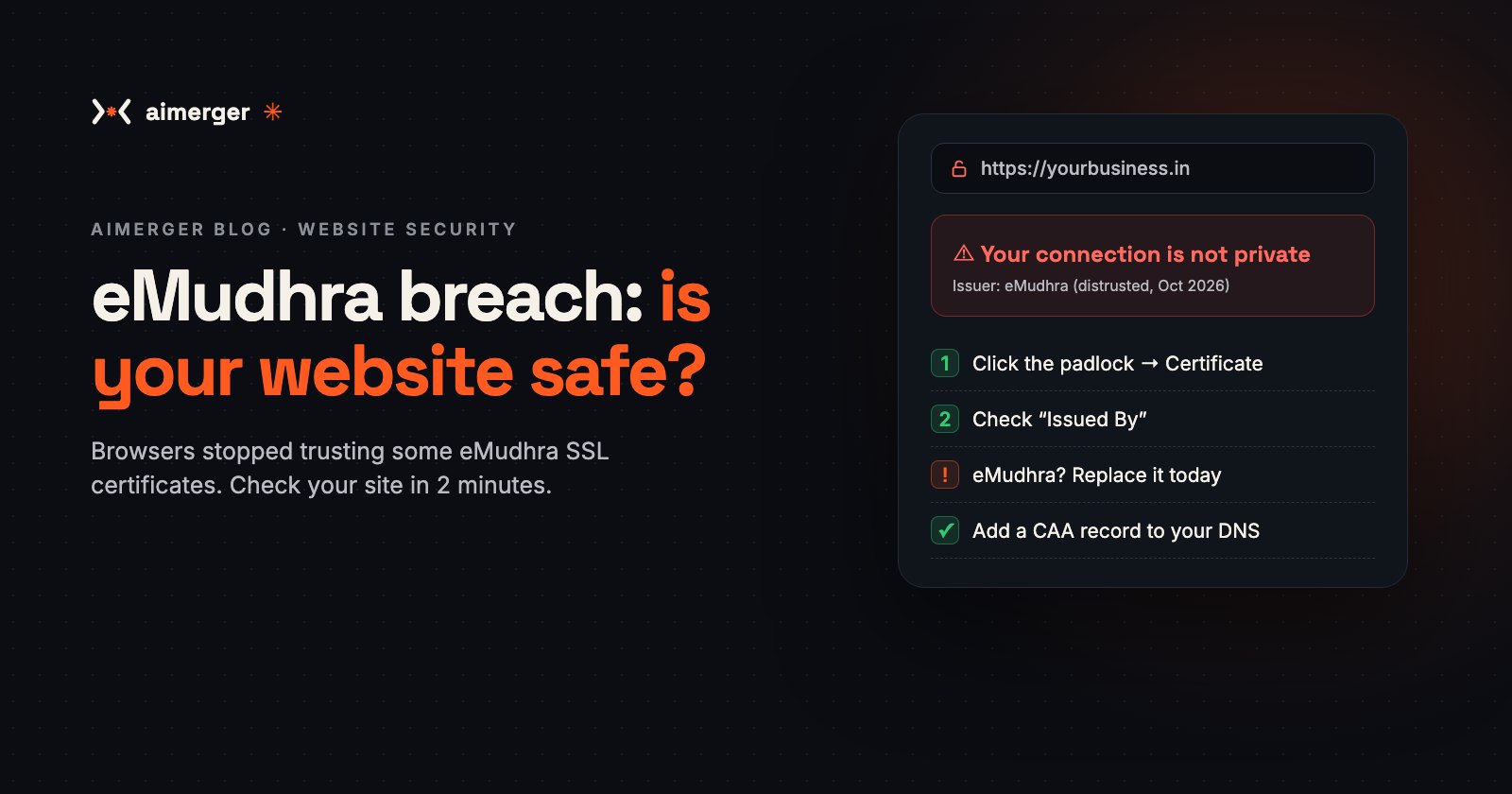
In October 2026, browsers stopped trusting a batch of website certificates from eMudhra, one of India's best-known certifying authorities. If your website, app or customer portal uses one of those certificates, visitors may soon see a big red "Your connection is not private" warning instead of your homepage.
Here is what happened, how to check your own site in 2 minutes, and what to do if you are affected.
Aimerger's own website was not affected. Our certificate comes from Google Trust Services. Details are at the end.
What happened, in simple words
The padlock in your browser works on trust. A certificate authority (CA) checks that a website is genuine and signs a certificate for it. The browser trusts the certificate because it trusts the CA. That chain only works if the CA's secret signing keys stay secret.
On 17 October 2026, Mozilla received a report that the private keys of eight eMudhra intermediate certificates had been compromised. The keys had not been stolen. They had been generated with too little randomness, so anyone could work them out from the public certificates. One researcher recovered all eight in under a second.
- eMudhra traced the problem to a faulty script used in its April 2025 key ceremony, so the weak keys had been in use since then.
- Chrome and Firefox blocked the certificates the day the problem was reported. Apple followed on 19 October and Microsoft on 20 October.
- Mozilla removed trust in the eMudhra root certificate that signed these intermediates. Google has said Chrome will remove it too, reportedly on 27 October 2026.
- eMudhra has stopped issuing from that root and estimates that about 30,000 customer certificates need to be replaced.
There are no public reports so far that anyone misused the keys. But with a weak key, an attacker could in theory create a certificate for any website and pretend to be it. That is why browsers acted within hours.
Why it matters for a small business
When a browser stops trusting your certificate:
- visitors see a full-page security warning, and most of them leave;
- online payments, forms and logins on that site stop feeling safe (and some stop working);
- apps and payment or API integrations that call your server can start failing;
- your Google ranking can suffer while the site shows errors.
Even if your certificate was not one of the eight, any certificate that chains up to the distrusted eMudhra root will stop working in that browser once the root is removed.
How to check your website in 2 minutes
Option 1: in your browser (no tools needed)
- Open your website in Chrome on a computer.
- Click the icon to the left of the address (the padlock or the "tune" icon).
- Click Connection is secure, then Certificate is valid.
- Look at Issued By: the organisation (O) and common name (CN).
If you see eMudhra anywhere in the issuer or in the certificate path, read the next section.
Option 2: with a free online test
Run your domain through the free SSL Server Test from Qualys SSL Labs (ssllabs.com/ssltest). Under Certification Paths it shows the full chain, including the root, and it flags certificates that are no longer trusted.
Option 3: from a terminal
If you or your developer use a Mac or Linux terminal:
echo | openssl s_client -connect yourdomain.in:443 -servername yourdomain.in 2>/dev/null | openssl x509 -noout -issuer -enddateThis prints the issuer and the expiry date. Replace yourdomain.in with your domain, and repeat it for subdomains such as www, app or api.
Don't forget your other addresses. Check the main site, the www version, your online store, your customer portal, your API and any internal tools. One forgotten subdomain is enough to break an app or an integration.
If your certificate is from eMudhra
- Contact your provider (or eMudhra) today and ask for a replacement certificate from a chain that browsers still trust.
- Or switch to another CA. Most hosts (Render, Vercel, Netlify, Cloudflare, Hostinger and many cPanel hosts) give you a free, auto-renewing certificate from Let's Encrypt or Google Trust Services with one click.
- Install the new certificate everywhere it is used: web server, load balancer, CDN, mail server and any app that pins certificates.
- Test again with one of the methods above, on both desktop and mobile browsers.
- Revoke the old certificate and update any documentation or vendor portals that list it.
What about Digital Signature Certificates (DSC)? eMudhra also issues DSC tokens used for GST, MCA and income-tax filings. The reports on this incident are about website (SSL/TLS) certificates. If you use an eMudhra DSC, check eMudhra's official notices or ask your CA directly instead of relying on forwarded WhatsApp messages.
4 habits that protect you from the next incident
- Add a CAA record to your DNS. A CAA record lists which certificate authorities are allowed to issue certificates for your domain. Any other CA must refuse. It takes two minutes in your domain's DNS panel.
- Use auto-renewing certificates. Short-lived certificates that renew themselves are easy to replace when something goes wrong.
- Watch the public certificate logs. Every trusted certificate is published in Certificate Transparency logs. Search your domain on crt.sh now and then to spot certificates you did not request.
- Publish a security contact. A small file at
/.well-known/security.txttells researchers where to report problems on your site, so you hear about issues before attackers use them.
What Aimerger checked on its own site
We ran the same checks on aimerger.in the day the news broke:
- ✅ Our certificate is issued by Google Trust Services, not eMudhra.
- ✅ HTTPS is enforced on every page (HSTS), with a strict Content Security Policy and click-jacking protection.
- ✅ We now publish a security.txt file and a Security & Trust page that explains how we protect your data and payments, and how to recognise the real Aimerger.
Need a hand?
If you are not sure which certificate your website uses, or you need to move to a new one before Chrome's deadline, message us on WhatsApp at +91 87969 25824. We will check your domains for free and tell you exactly what to change. You can also run the free Website Speed & SEO Checker to catch other technical problems on your site.
Sources: Mozilla Security Blog, The Hacker News, The Register, Help Net Security and LWN, 20–21 October 2026. This article explains a security incident for business owners and is not legal or technical advice for your specific setup.